












Brand voice New
Your brand voice, set up from your website
Give Refract your website and it reads up to 10 public pages, then suggests your voice, what it should know about your business and the social profiles your site links to. Nothing applies until you review it, and it’s free on every plan with no AI credits.
How it works
From your address to your voice, in four steps.
It’s the Website step when you set up Refract, and Read your website in Settings › Voice and rules any time after.
Step 1
Read my site
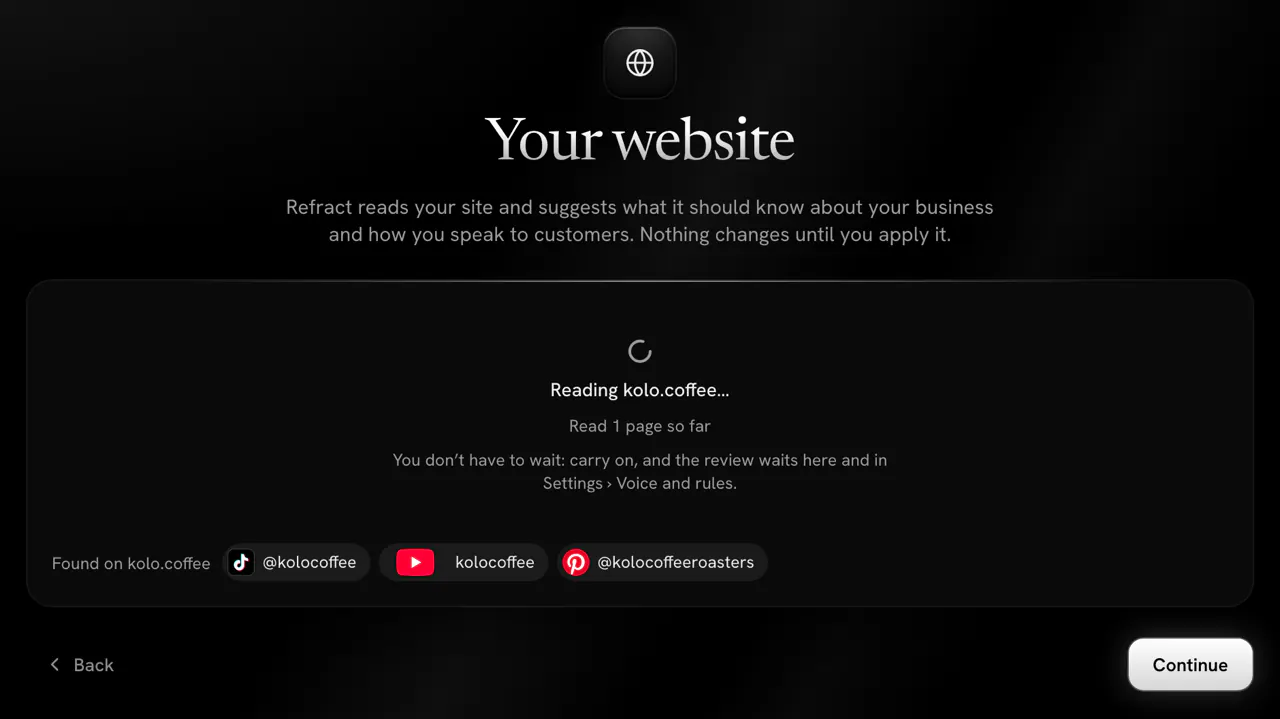
Type your website’s address, or keep the one Refract filled in from your sign-up email, and select Read my site. Refract reads your home page while you wait, so a wrong address says so at once, and the social profiles your site links to show right away.
A profile on a network that’s coming soon to Refract (Instagram, Facebook, Threads, LinkedIn, Google Business Profile and Lemmy) shows too, but can’t be connected yet: its tile offers Email me when it opens.
Step 2
Carry on while it reads
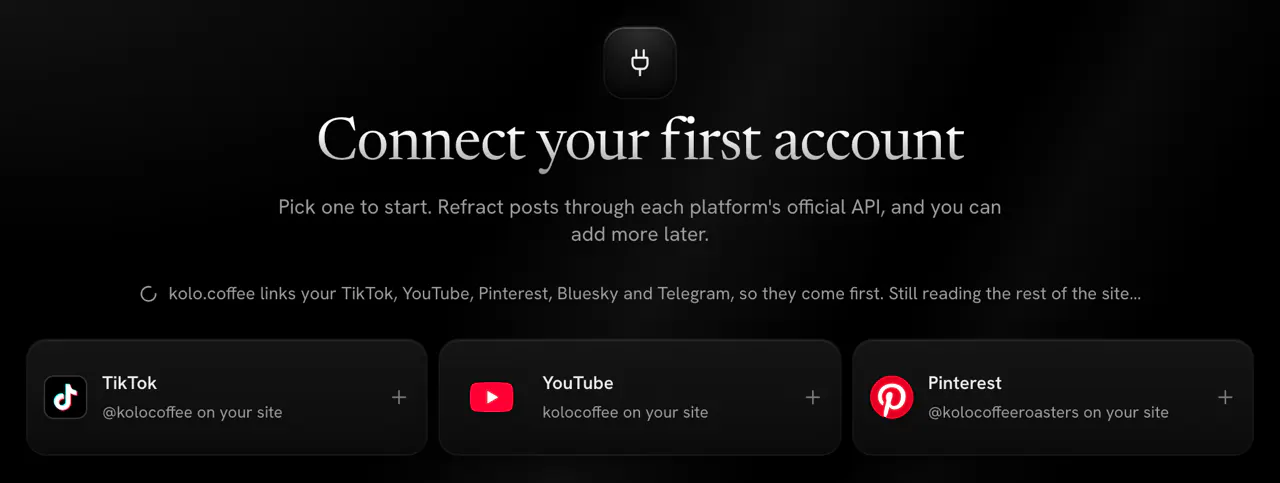
Up to 9 more pages are read in the background, such as your about, menu, services and contact pages, so you can select Continue straight away. On the next step, the networks your site links to come first, each with its profile name.
Step 3
Review what we found
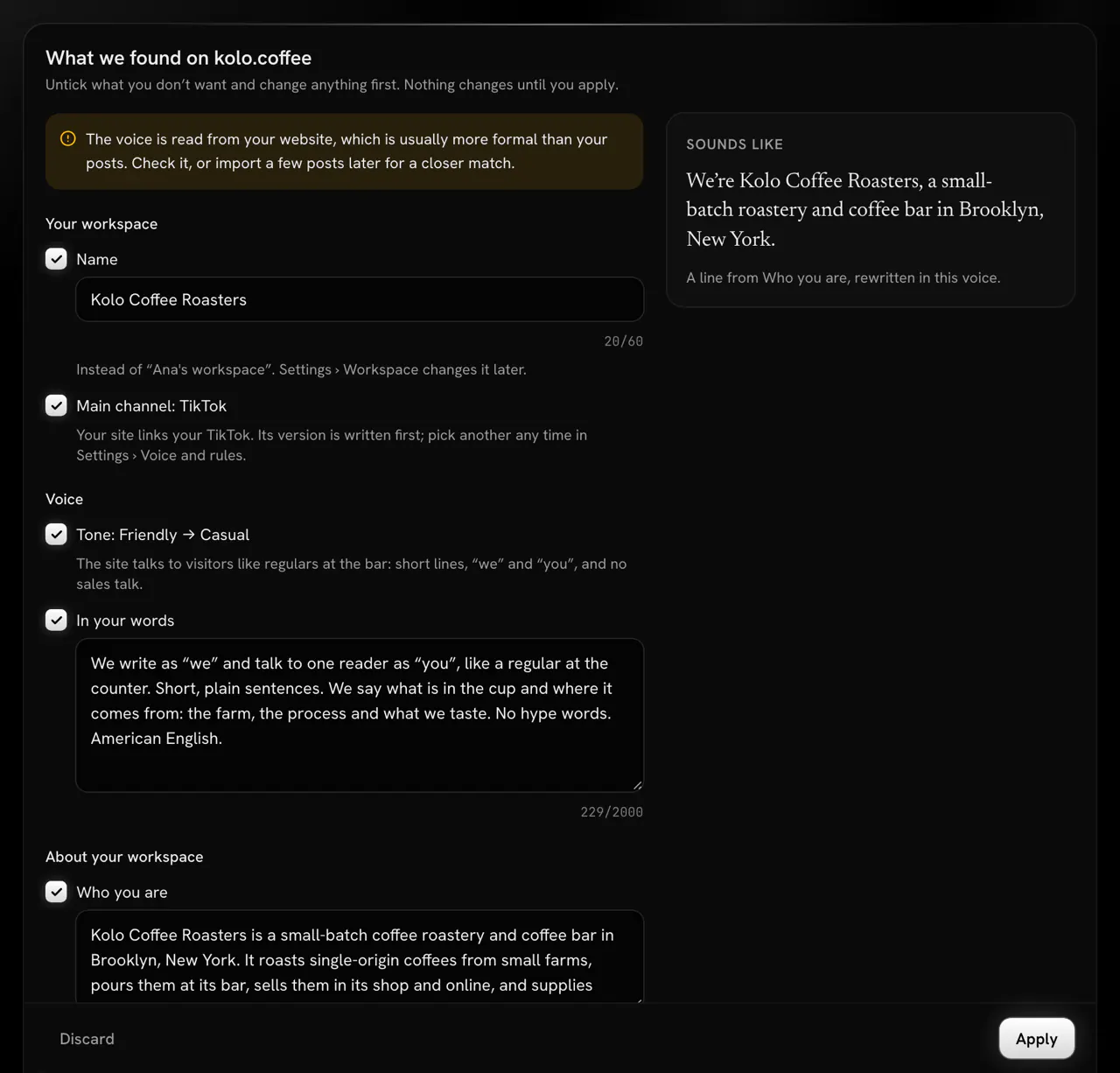
When it’s ready, usually in under a minute, What we found on your site appears on the step and in Settings › Voice and rules, and the First post step points back to it. Everything starts ticked: untick or edit anything. A website reads more formal than social posts, so the card says so at the top.
Step 4
Apply, with Undo
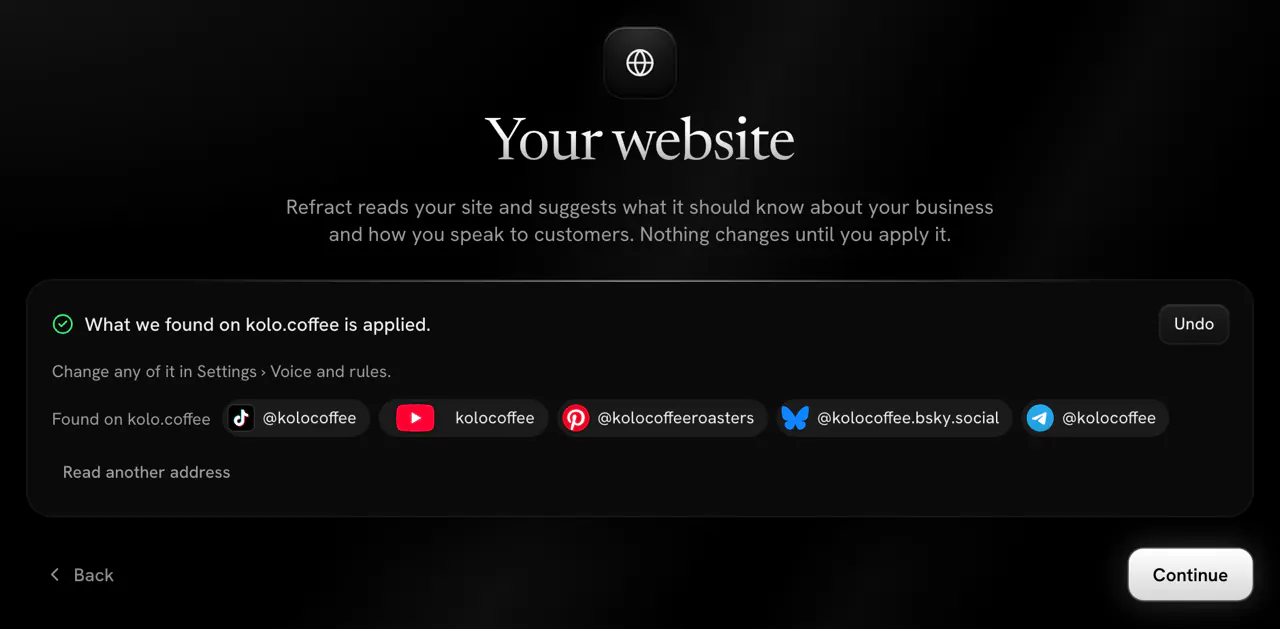
Select Apply and your workspace is set up. Changed your mind? Undo stays next to the result for up to 10 minutes while you’re on the step, and everything can be changed later in Settings › Voice and rules.


What it sets up
What it fills in, and what it leaves to you.
It gives you a starting point to review, not a finished voice.
It sets up
- Your workspace’s name, only while it still has the name it got at sign-up, and only a name your site uses.
- A main channel from the profiles your site links to, only on a network you can connect, when you haven’t picked one, and never for an agency’s workspaces.
- A tone and “In your words”: how you speak to customers, as your site does.
- About your workspace: who you are, who your posts are for, your topics, and facts, each naming the page it came from.
- A “Sounds like” line: a sample sentence in the suggested voice, so you hear it before you apply.
It leaves to you
Rules for each network, words to avoid, example posts and emoji.
A website shows how a business describes itself, not how it posts. Those come from your posts and your edits instead.
From your posts
Make it sound like your posts.
Your website gets the voice started. Your own posts and edits finish it.
Import your voice
Paste at least 3 posts you wrote, or add a guide to how you write, and say where they were published. Refract suggests a tone and emoji, “In your words”, words to avoid, rules for that network and up to 3 example posts, and you review them before anything is applied.
Rules that learn
When the same fix is made to 3 different posts for a network within 30 days (taking hashtags out or cutting how many, removing emoji, shortening the text, moving the link to the end or removing exclamation marks), Refract offers it as a rule for that network. It never adds one without your yes.
Your best posts
The writer sees up to 3 of your posts on each network as examples of your style: your best by engagement rate from the last 90 days, then the posts you kept from Import your voice.
Every network
Your voice on every network.
Write the point of a post once, as a note. Refract writes a version for each network in your voice and within its limits, and you approve each one before it goes out. You can connect 13 networks today:
Or ask for posts in a chat: AI mode writes with the same voice.
Privacy
Private for you, fair to site owners.
- Refract reads only public pages on your site’s own domain, as RefractBot, and follows your robots.txt. It reads only when someone asks it to, never logs in and never follows links to other sites.
- The pages’ text goes to Anthropic (Claude) to write the suggestions. Refract keeps it encrypted and deletes it when you apply or discard what it found, or after 7 days.
Limits and cost
Free, on every plan.
- Reading your website uses no AI credits, on every plan and in the 14-day free trial.
- Each workspace can read a website 3 times a day and 5 times a calendar month. Reads that fail don’t count.
- With your organization’s own AI key for text, your key pays: no limit, and those reads don’t count.
Questions
Asked about brand voice.
Help answers questions like these inside Refract too, with your workspace in view.
Set up your voice from your website.
Start a free trial, type your website’s address and review what Refract found.