












AI mode New
An AI social media manager that asks before it posts
Ask for posts in a chat. AI mode writes a version for each network in your voice, and nothing goes out until you approve it.
What you can ask
Ask the way you’d ask a colleague.
AI mode is an AI social media assistant that works with Refract’s own tools, as you and with your role. Write what you want in any language.
Write a post
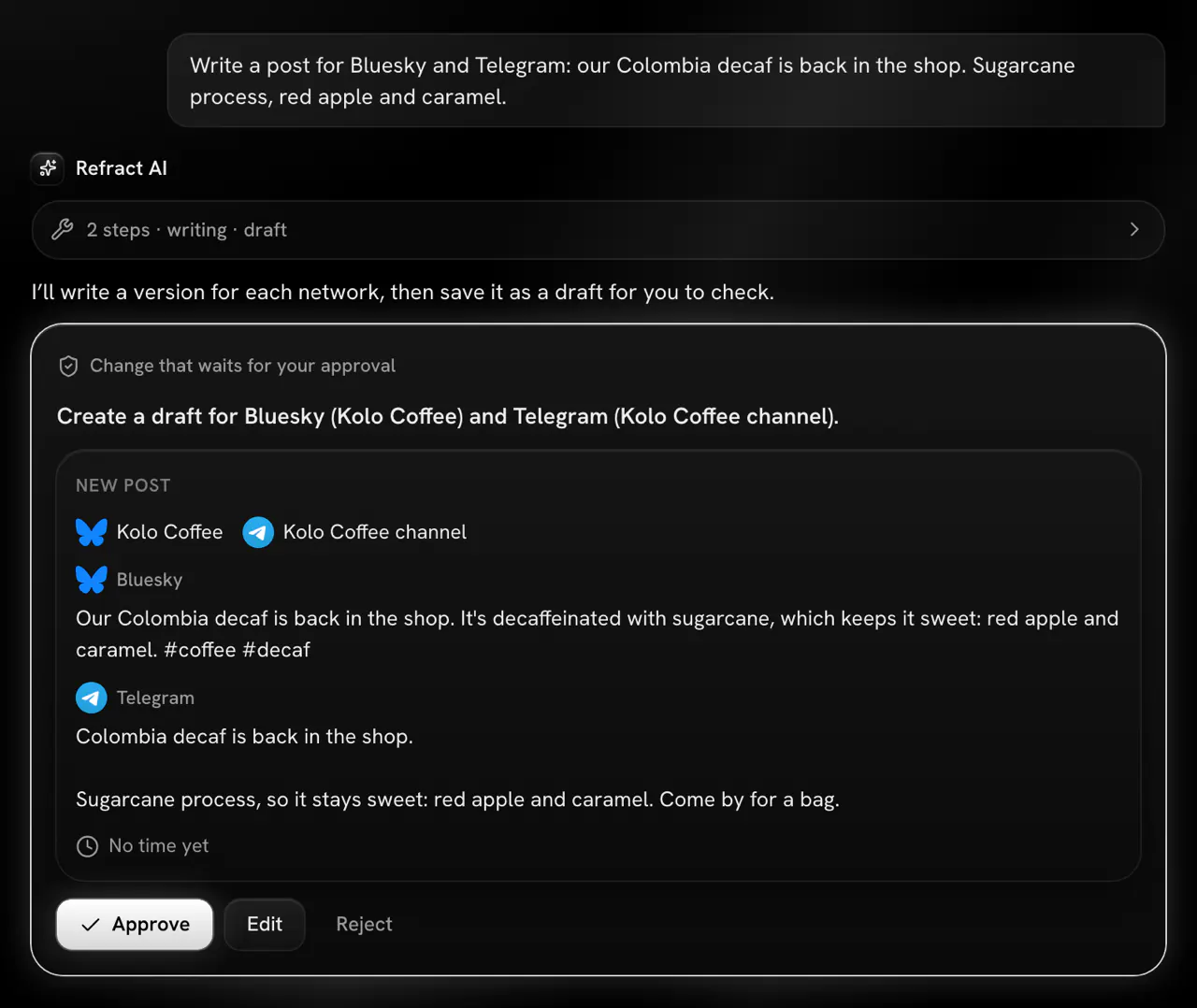
You: “Write a post for Bluesky and Telegram: our Colombia decaf is back in the shop. Sugarcane process, red apple and caramel.”
Refract’s writer writes a version for each network, in your voice and within its limits. In Ask first, the draft waits on an approval card: Approve, Edit or Reject.
Make an image
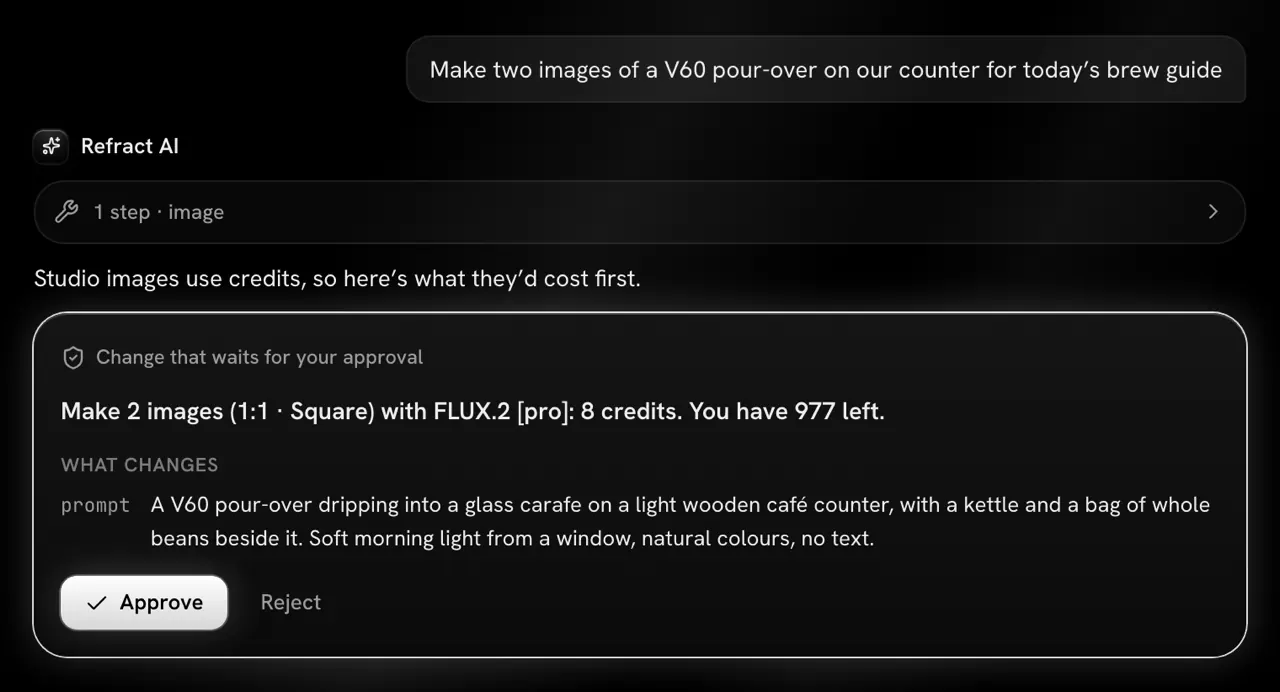
You: “Make two images of a V60 pour-over on our counter for today’s brew guide”
Studio makes them right in the chat. The card shows how many images, the shape, the model, the credits they cost and what you have left, and it always asks first, in Autopilot too.
Ask how it went
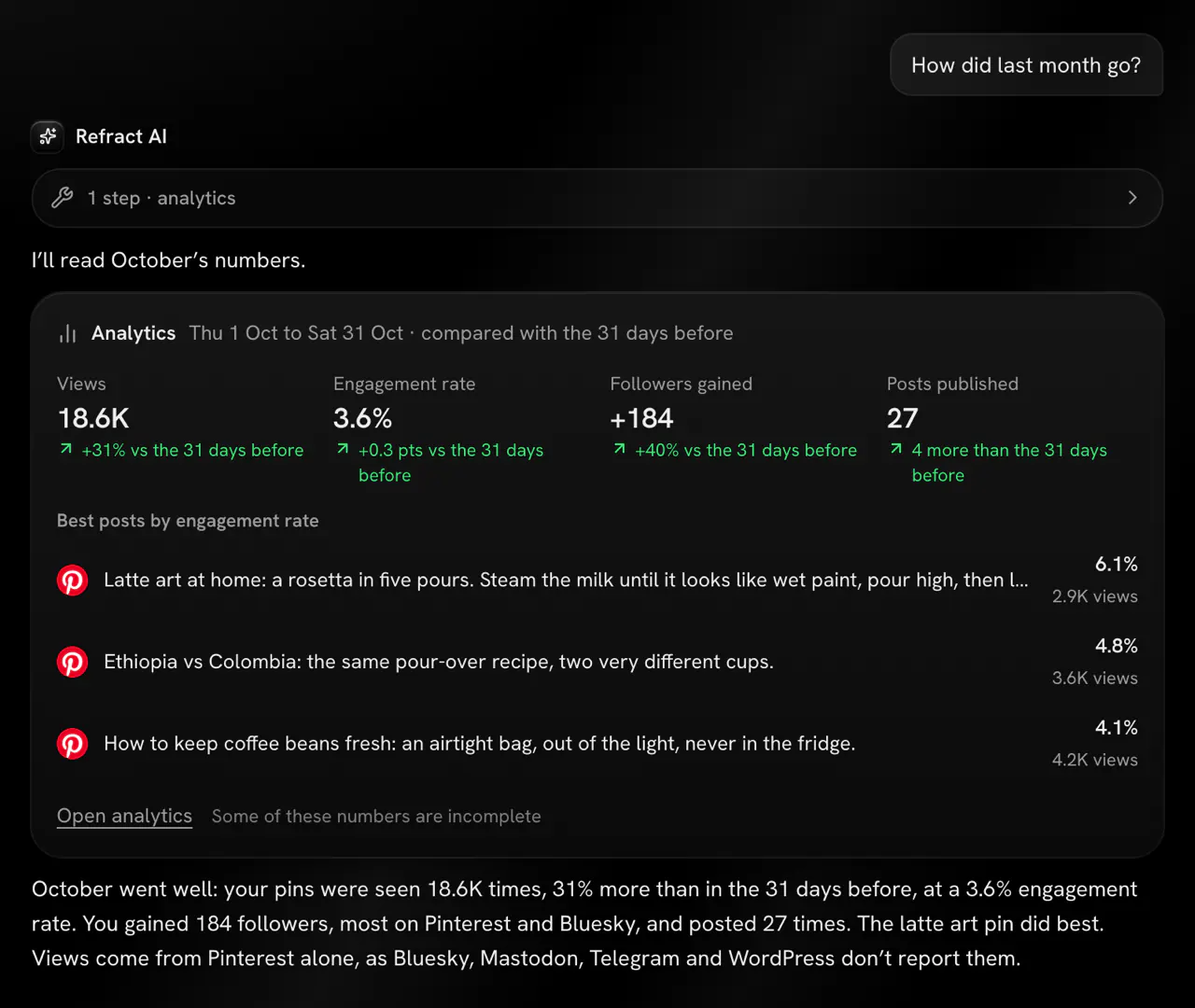
You: “How did last month go?”
It reads the same numbers as the Analytics page and answers in a few words, with a card of the totals and your best posts by engagement rate.
Plan the week
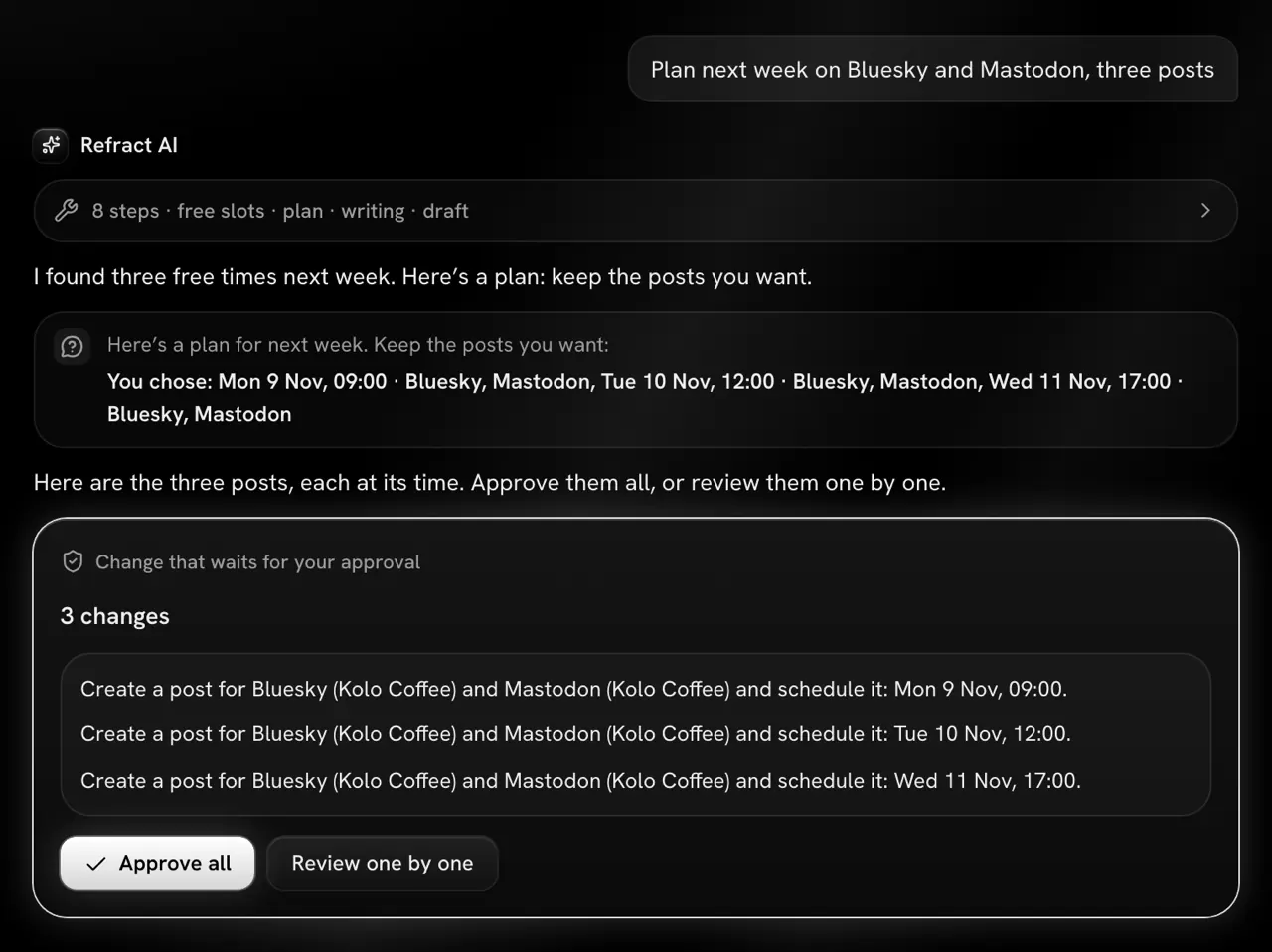
You: “Plan next week on Bluesky and Mastodon, three posts”
It finds your free times, proposes topics and shows the plan on a card first. Then it writes each post; in Ask first they come as one card, with Approve all.
Find a free time
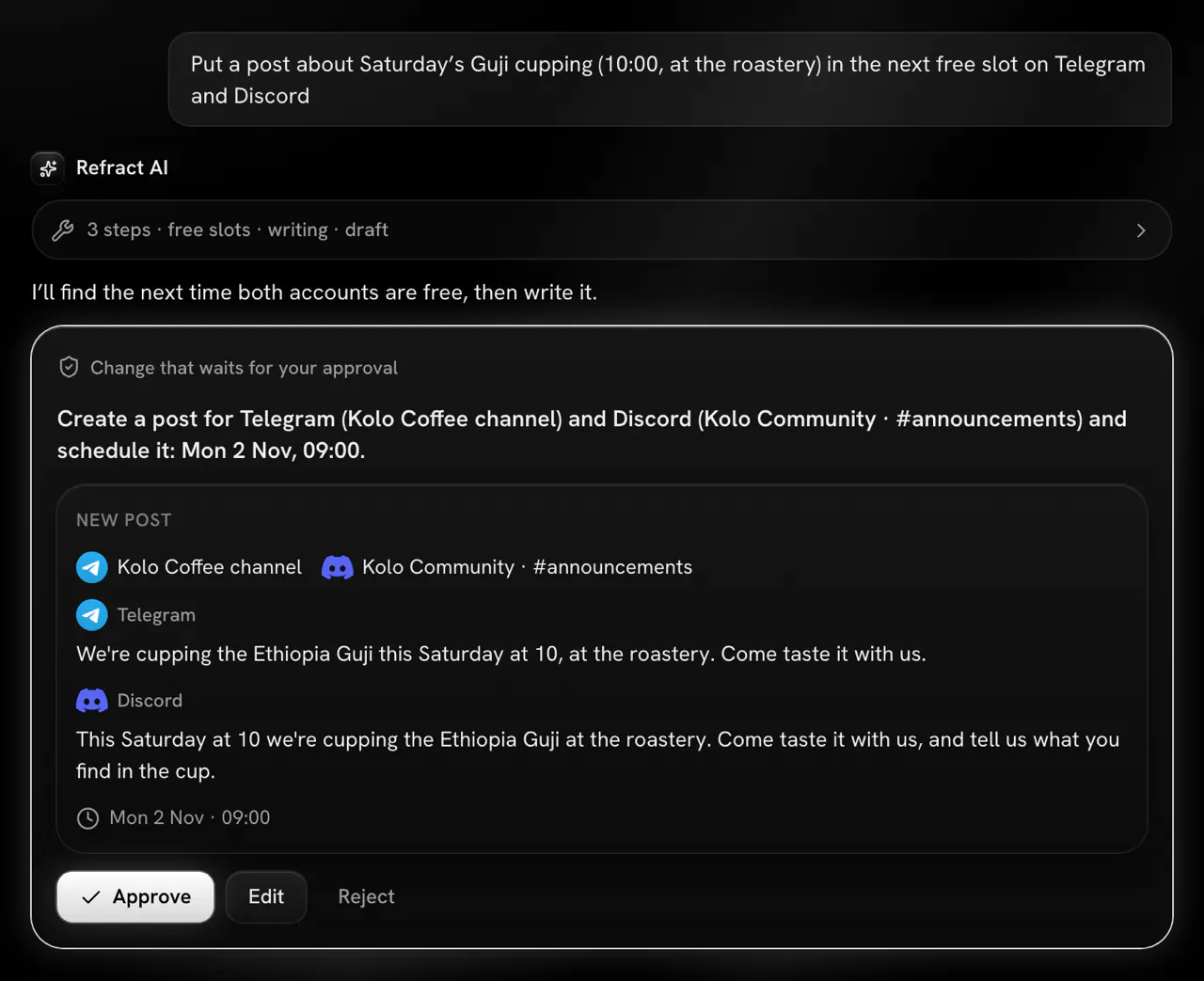
You: “Put a post about Saturday’s Guji cupping (10:00, at the roastery) in the next free slot on Telegram and Discord”
It finds your next free posting time, writes a text for each network and schedules the post there. In Autopilot it runs, with Undo until the post goes out.
Fix a failed post
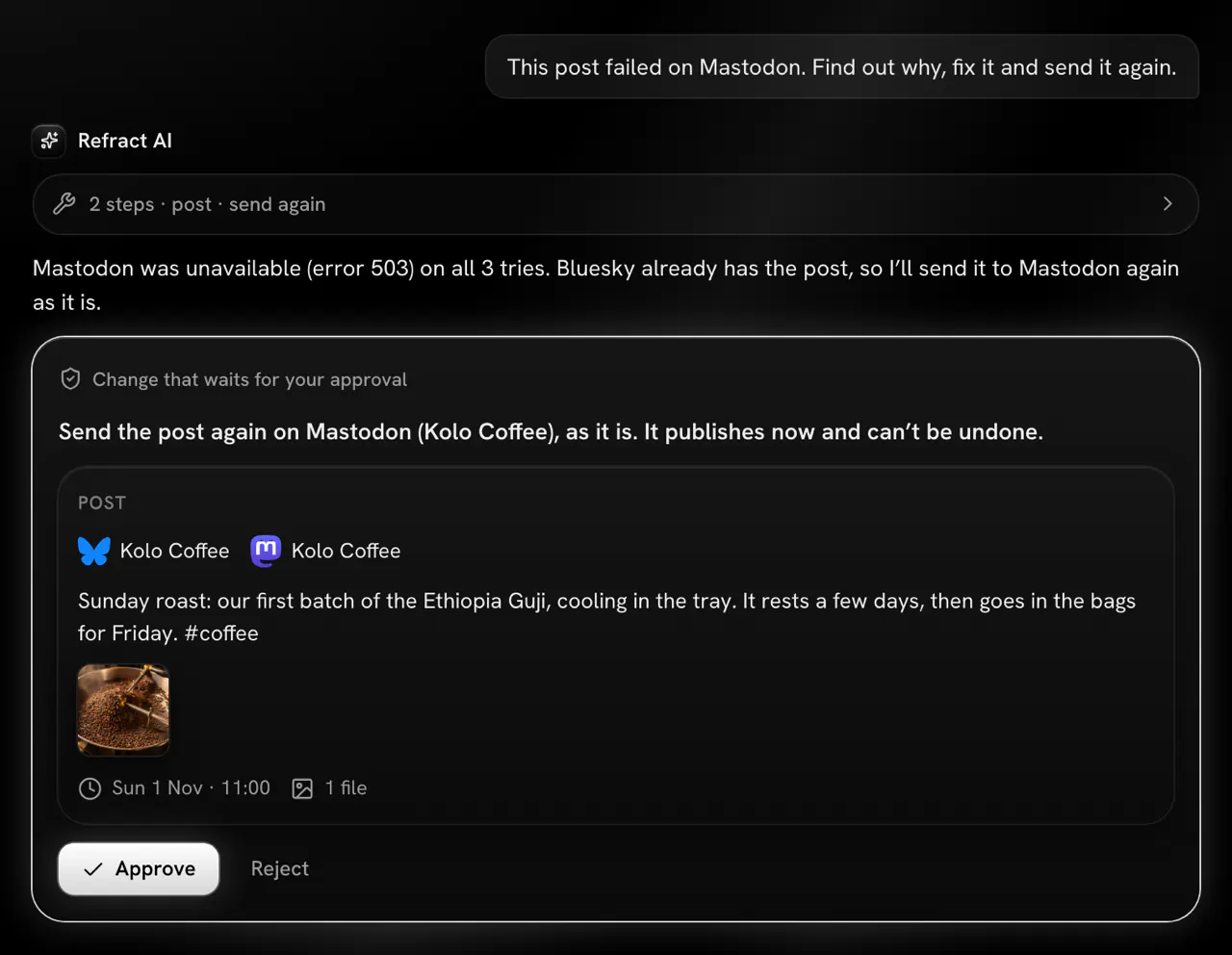
You: “This post failed on Mastodon. Find out why, fix it and send it again.”
It reads why the post failed and says so in plain words, changes the text or a setting when that’s the problem, and always asks before it sends the post again.


Ask first or Autopilot
A social media AI agent that waits for your OK.
You pick how much to hand over, for each chat. Ask first is the default. Autopilot is AI social media automation with Undo on every change.
Ask first Default
Every change waits on an approval card that shows exactly what it would do: the accounts, the text for each network, the files, the time and the composer’s Checks. Approve it, edit it, or reject it with a reason and the AI tries again.
Autopilot
Changes run without asking, and each one shows in Changes in this chat with Undo. Your role and your team’s approval rules still apply.
These always wait for you, in Autopilot too
- Saving a rule you state
- Making images in Studio
- Approving a teammate’s post
- Sending a teammate’s post back with changes
- Publishing a post now
- Changing a post that’s already published
- Removing a post that’s already published
- Sending a failed post again
- Any change to a post that’s waiting for approval
- Asking you a question and waiting for your answer
- Showing you a plan before it writes several posts
- Asking whether a saved fact is still true
Admins can turn Autopilot off for a workspace in Settings › API and agents. Every change there then asks first.
Undo can’t bring back a post that already reached a network, or the credits spent on Studio images.
Your voice
It writes like you.
AI for social media posts only helps if the posts sound like you. AI mode writes from your workspace’s voice and rules, and learns from what you change.
Your workspace’s voice
AI mode writes with the same writer as Start from a note: in your workspace’s voice, following every rule turned on for each network in Settings › Voice and rules.
Rules from your edits
When you make or ask for the same change on 3 posts for a network within 30 days, such as no emoji on Bluesky, it offers it as a rule. A rule is never added without your yes.
Your best posts
The writer sees up to 3 of your posts on each network as examples of your style: first your best by engagement rate from the last 90 days (you can turn this off), then the posts you kept from Import your voice.
Import your voice
Paste a few posts you wrote, or the instructions you gave another AI. Refract suggests a voice and rules, and you review them before anything is applied.
Checked for each network
The writer checks each text against the network’s limits and your rules (its length, the links you gave, hashtags, words to avoid and emoji) and writes it once more when a check fails.
Networks
Every network Refract supports.
AI mode is an AI social media scheduler for every network Refract posts to: 13 today, each through its official API.
Live today
Coming soon
AI mode writes for them once they open.
AI mode or ChatGPT
Why not just ChatGPT?
ChatGPT for social media gets you text to copy and paste. AI mode works where your posts live.
| What you need | ChatGPT | AI mode |
|---|---|---|
| Writing | Writes text you copy and paste into each network. | Writes a version for each network within its limits and saves it as a post in Refract. |
| Checks | You check the length, the links and the hashtags yourself. | Runs the composer’s Checks and fixes what it can. |
| Scheduling | You schedule it somewhere else. | Schedules at your free posting times and publishes through each network’s official API. |
| Results | Doesn’t see how your posts did. | Answers from your analytics: views, engagement, followers, link clicks and your best posts. |
| Approvals | Doesn’t know who on your team approves what. | Keeps your team’s approvals: a Contributor’s post still goes to a teammate. |
Prefer to work in Claude or ChatGPT? Connect it to Refract’s MCP server, on every plan, and it drafts and schedules with Refract’s tools, within your role. How the MCP server works
Pricing
AI mode is on every plan.
AI mode isn’t a separate AI social media management tool to pay for: it comes with every plan and the 14-day free trial. Each plan includes a number of messages a day.
| Plan | Messages a day for each person | For the whole team |
|---|---|---|
| Creator | 10 | 10 |
| Business | 50 | 150 |
| Agency | 200 | 1,000 |
| Agency Plus | 500 | 5,000 |
- Chatting and writing posts in AI mode use no AI credits.
- Images you make in Studio from the chat use Studio’s credits, from 1 credit an image.
- With your organization’s own Anthropic key, AI mode runs on that key and there’s no daily limit.
- A message counts when the AI finishes or stops to wait for your approval. Approving a change or answering its question doesn’t count.
Questions
Asked about AI mode.
Help answers questions like these inside Refract too, with your workspace in view.
Video transcript
From now on, you don’t write posts. You ask for them. Need a picture? Studio makes one, right in the chat. Ask how last month went, and get the numbers. This is AI mode. Ask for posts in a chat. By default, every change waits for your OK. Or let Autopilot run it, with Undo on every change. AI mode is on every Refract plan. Try it at refract.social.
Ask for your next post.
Start a free trial, connect your accounts and give your AI social media manager its first request.